 online help
Dialog box �Color Options�
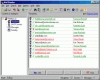
This dialog box allows you to change color settings of the program. You can change the following parameters:
� Valid Items - This is the color of items of List of messages processed successfully.
� Error Items - This is the color of items of List of messages processed with errors.
See also:
� About the program
� Purpose of the program
� How to send messages
� How to work with BML
files
� User interface
� How to register
|
|
Send personalized email utilizing mailing lists! | |
 Back
to Mail Bomber online help
Back
to Mail Bomber online help